Locating Genuine Nanya Memory for HP Systems
· 4 min read
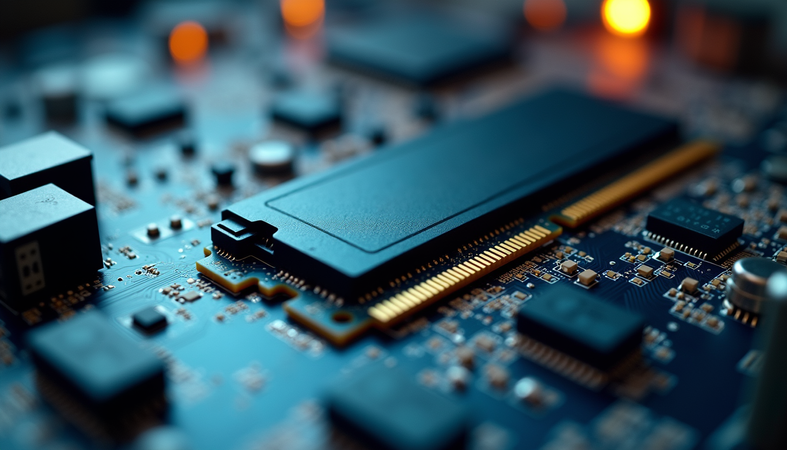
When it comes to upgrading or maintaining HP systems, choosing the right memory module is crucial. Nanya memory is a trusted choice for many businesses because of its reliability and performance. However, finding genuine Nanya memory for HP systems can be challenging. In this post, I’ll guide you through the process of locating authentic Nanya memory, ensuring your HP systems run smoothly and efficiently.
Why Choose Nanya Memory for HP Systems?
Nanya Technology is a well-known manufacturer of DRAM modules, recognized for producing high-quality memory chips. When paired with HP systems, Nanya memory offers several benefits:
- Compatibility: Nanya memory modules are designed to meet strict industry standards, ensuring seamless integration with HP hardware.
- Performance: These modules provide stable and fast data transfer rates, which is essential for high-speed networking and data center operations.
- Reliability: Nanya’s rigorous quality control means fewer failures and longer lifespan for your memory modules.
For mid- to large-sized companies relying on high-speed networking, using genuine Nanya memory for HP systems can significantly improve system stability and performance.
How to Identify Genuine Nanya Memory for HP Systems
Authenticity is key when purchasing memory modules. Fake or substandard memory can cause system crashes, data corruption, and reduced performance. Here’s how to spot genuine Nanya memory:
- Check the Packaging Genuine Nanya memory comes in sealed packaging with clear branding and product information. Look for holographic stickers or security seals that indicate authenticity.
- Verify the Label The label on the memory module should include the Nanya logo, part number, and specifications such as speed, capacity, and voltage. Cross-check these details with official Nanya datasheets.
- Purchase from Authorized Dealers Buying from authorized suppliers or directly from trusted vendors reduces the risk of counterfeit products. TES-IT Solutions, for example, is known for supplying quality refurbished and new electronic equipment, including memory modules.
- Use Diagnostic Tools After installation, use software tools like CPU-Z or MemTest86 to verify the memory’s specifications and test its stability.
By following these steps, you can confidently ensure that the memory you install in your HP systems is genuine Nanya.
Where to Buy Nanya Memory for HP Systems
Finding a reliable source for Nanya memory is just as important as identifying genuine modules. Here are some practical tips for locating trustworthy suppliers:
- Official Distributors
Start by checking Nanya’s official website for a list of authorized distributors. These suppliers are vetted and provide genuine products.
- Reputable IT Equipment Suppliers
Companies specializing in high-speed networking gear and data center components often stock Nanya memory. TES-IT Solutions is a great example, offering both new and quality refurbished equipment tailored for enterprise needs.
- Online Marketplaces with Verified Sellers
Platforms like Amazon or Newegg can be options if you carefully select sellers with high ratings and positive reviews. Always verify the product details and return policies.
- Avoid Unknown or Unverified Sellers
Steer clear of deals that seem too good to be true or sellers without a clear reputation. Counterfeit memory is common in such cases.
If you are considering cost-effective options, you might come across used nanya memory hp modules. While used memory can be a budget-friendly choice, ensure it comes from a reputable source and has been thoroughly tested.

Installation Tips for Nanya Memory in HP Systems
Once you have your genuine Nanya memory, proper installation is essential to maximize performance and avoid hardware issues. Here’s a simple step-by-step guide:
- Power Down and Unplug Always turn off your HP system and disconnect it from power before opening the case.
- Ground Yourself Use an anti-static wrist strap or touch a grounded metal object to prevent static discharge that can damage components.
- Locate the Memory Slots Refer to your HP system’s manual to find the correct DIMM slots. Some systems require specific slots to be filled first for optimal performance.
- Insert the Memory Module Align the notch on the Nanya memory module with the slot and press firmly until the clips snap into place.
- Close the Case and Power On After installation, close the case, reconnect power, and start the system.
- Verify Installation Check the BIOS or use system information tools to confirm the new memory is recognized and functioning correctly.
Following these steps helps ensure your HP system benefits fully from the genuine Nanya memory you installed.
Maximizing Your HP System’s Performance with Nanya Memory
Upgrading to genuine Nanya memory is just one part of optimizing your HP systems. Here are additional tips to get the most out of your investment:
- Match Memory Specifications
Use memory modules with the same speed, capacity, and timings to avoid compatibility issues.
- Keep Firmware Updated
Regularly update your HP system’s BIOS and firmware to support new memory technologies and improve stability.
- Monitor System Health
Use monitoring tools to track memory usage and detect potential errors early.
- Plan for Scalability
Choose memory configurations that allow easy future upgrades as your data center needs grow.
By combining genuine Nanya memory with these best practices, your HP systems will deliver reliable, high-speed performance tailored to demanding networking environments.
I hope this guide helps you confidently locate and install genuine Nanya memory for your HP systems. If you want to explore options, including used nanya memory hp, TES-IT Solutions offers a trusted selection to boost your data center’s capabilities. Remember, investing in authentic memory is investing in your system’s future.