Guide to Used HP Memory: Unlocking Value with Nanya Modules
· 4 min read
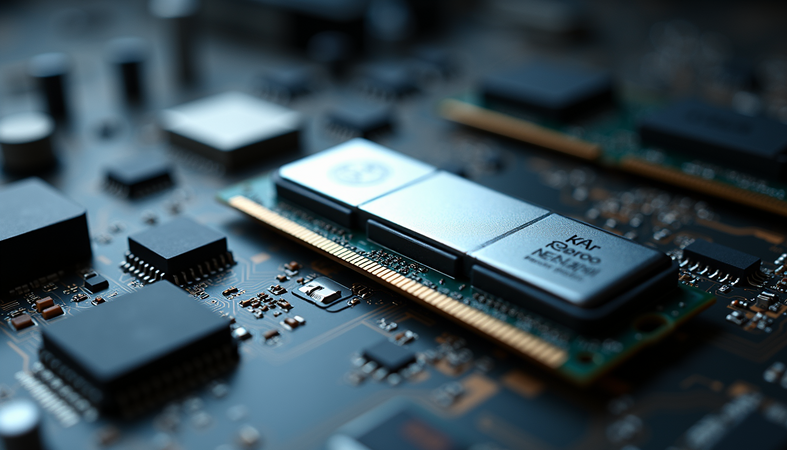
When it comes to upgrading or maintaining your computer’s performance, memory (RAM) plays a crucial role. However, buying new memory can sometimes be costly. This is where used memory modules, such as those from Nanya Technology, come into play. This guide will walk you through everything you need to know about used HP memory, focusing on Nanya modules, to help you make an informed decision.
Understanding Used HP Memory: What You Need to Know
Used HP memory refers to pre-owned RAM modules originally manufactured for HP computers. These modules are often removed from working or decommissioned systems and resold at a lower price. Buying used memory can be a smart way to upgrade your system without breaking the bank, but it requires careful consideration.
Why Choose Used HP Memory?
- Cost-Effective: Used memory is significantly cheaper than new modules.
- Compatibility: HP memory modules are designed specifically for HP systems, ensuring better compatibility.
- Sustainability: Reusing memory reduces electronic waste and supports eco-friendly practices.
Potential Risks
- Warranty Limitations: Used memory often comes with limited or no warranty.
- Unknown History: The previous usage and handling of the memory are not always clear.
- Performance Variability: Some used modules may not perform as well as new ones.
To mitigate these risks, it’s important to buy from reputable sellers and verify the memory’s condition before purchase.
How to Identify Quality Used HP Memory
When shopping for used HP memory, especially Nanya modules, quality assessment is key. Here are some practical tips to help you identify reliable used memory:
Check the Specifications
- Capacity: Ensure the memory size matches your system requirements (e.g., 4GB, 8GB).
- Speed: Look for the correct speed rating (e.g., DDR3-1600, DDR4-2400).
- Form Factor: Confirm whether your system uses DIMM (desktop) or SO-DIMM (laptop) modules.
Inspect Physical Condition
- Look for any visible damage such as bent pins, corrosion, or scratches.
- Verify the label for manufacturer details and serial numbers.
Test the Memory
- Use diagnostic tools like MemTest86 to check for errors.
- If possible, test the memory in your system before finalizing the purchase.
Buy from Trusted Sources
- Choose sellers with positive reviews and return policies.
- Avoid deals that seem too good to be true.
Benefits of Using Nanya Memory in HP Systems
Nanya Technology is a well-known manufacturer of DRAM modules, often used in HP computers. Their memory modules are recognized for reliability and performance, making them a popular choice for upgrades.
Compatibility and Performance
Nanya memory modules are designed to meet industry standards and often come pre-tested for HP systems. This ensures:
- Seamless Integration: Minimal compatibility issues with HP motherboards.
- Stable Performance: Consistent speed and latency for smooth operation.
- Energy Efficiency: Lower power consumption compared to some other brands.
Cost Savings
Choosing used Nanya HP memory can save you a significant amount compared to buying new modules from other brands. This is especially beneficial for businesses or individuals upgrading multiple systems.

How to Install Used HP Memory Safely
Installing memory is a straightforward process, but it requires care to avoid damaging components. Follow these steps for a safe installation:
- Power Down and Unplug: Always turn off your computer and disconnect it from power.
- Ground Yourself: Use an anti-static wrist strap or touch a grounded metal object to discharge static electricity.
- Open the Case: Remove the side panel of your desktop or the back cover of your laptop.
- Locate the Memory Slots: Identify the RAM slots on the motherboard.
- Remove Old Memory (if necessary): Release the clips holding the existing modules and gently pull them out.
- Insert the Used Memory: Align the notch on the module with the slot and press firmly until the clips snap into place.
- Close the Case and Power On: Reassemble your computer and turn it on.
- Verify Installation: Check system properties or BIOS to confirm the new memory is recognized.
Tips for a Smooth Installation
- Handle memory modules by the edges to avoid damaging chips.
- Avoid forcing the module into the slot; it should fit snugly with moderate pressure.
- If your system doesn’t boot, recheck the seating of the memory.
Maximizing the Value of Used Nanya HP Memory
To get the most out of your investment in used memory, consider these actionable recommendations:
- Upgrade in Pairs: For dual-channel performance, install memory in matched pairs.
- Keep Your System Updated: Ensure your BIOS and drivers are current to support new memory.
- Regular Maintenance: Clean your computer’s interior to prevent dust buildup that can affect performance.
- Monitor Performance: Use system monitoring tools to track memory usage and detect issues early.
If you are looking for reliable options, consider exploring used nanya hp memory from trusted suppliers to ensure quality and compatibility.
Final Thoughts on Used HP Memory Upgrades
Investing in used HP memory, particularly from reputable manufacturers like Nanya, can be a smart and economical way to boost your computer’s performance. By understanding the specifications, verifying quality, and following proper installation procedures, you can enjoy enhanced speed and efficiency without the high cost of new modules.
Remember, the key to success with used memory lies in careful selection and testing. With the right approach, your system can benefit from a cost-effective upgrade that extends its lifespan and improves your computing experience.