Guide to Buying Used HP Server Memory: What You Need to Know
· 3 min read
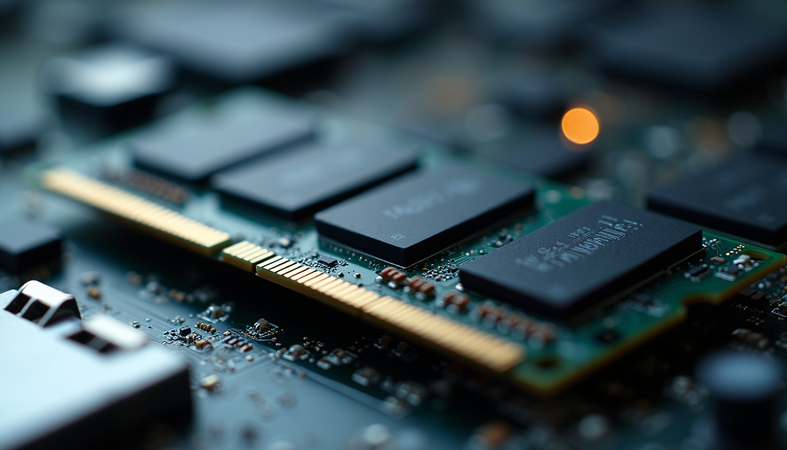
When upgrading or maintaining servers, memory is a critical component that directly impacts performance and reliability. Buying new server memory can be costly, so many businesses and IT professionals turn to used options to save money. This guide will walk you through everything you need to know about purchasing used HP server memory, including how to identify quality products, compatibility tips, and where to find the best deals.
Understanding Used HP Server Memory
Used HP server memory refers to previously installed RAM modules designed for HP servers that are resold after being removed from working systems. These modules are often tested and certified by reputable sellers to ensure they meet performance standards. Buying used memory can be a smart choice if you want to upgrade your server without breaking the bank.
Why Choose Used HP Server Memory?
- Cost Savings: Used memory is significantly cheaper than new modules.
- Availability: Older server models may no longer have new memory available.
- Sustainability: Reusing hardware reduces electronic waste.
However, it is essential to buy from trusted sources and verify the memory’s condition to avoid compatibility issues or premature failure.
How to Identify Compatible Used HP Server Memory
Compatibility is the most crucial factor when buying used HP server memory. Here are the key points to consider:
1. Check Server Model and Memory Type
HP servers use specific types of memory such as DDR3, DDR4, or newer generations. You must know your server’s exact model and the type of memory it supports. This information is usually available in the server’s manual or HP’s official website.
2. Match Memory Speed and Capacity
Memory speed (measured in MHz) and capacity (measured in GB) must align with your server’s specifications. Using mismatched speeds can cause instability or reduced performance.
3. Verify Memory Form Factor
HP servers typically use DIMM (Dual Inline Memory Module) form factors, but the size and pin configuration can vary. Ensure the used memory matches the physical slot type on your server.
4. Look for ECC and Registered Memory
Most HP servers require ECC (Error-Correcting Code) and registered (buffered) memory for reliability. Non-ECC or unbuffered memory will not work properly in these systems.
5. Confirm Firmware and BIOS Compatibility
Sometimes, server firmware or BIOS updates are necessary to support certain memory modules. Check HP’s support resources for any required updates.
Where to Find Reliable Used HP Server Memory
Finding trustworthy sellers is vital to avoid counterfeit or faulty memory. Here are some recommended sources:
- Certified Refurbishers: Companies specializing in server hardware refurbishment often provide warranties and testing reports.
- Online Marketplaces: Platforms like eBay or Amazon can have good deals but require careful vetting of seller ratings and reviews.
- IT Asset Disposition (ITAD) Vendors: These vendors handle decommissioned hardware and often sell tested memory modules.
- Direct from Businesses: Some companies sell surplus or decommissioned server parts directly.
When buying, always ask for proof of testing, warranty information, and return policies.

Tips for Testing and Installing Used HP Server Memory
Once you receive your used memory, proper testing and installation are essential to ensure it works correctly.
Testing Used Memory
- Visual Inspection: Check for physical damage, corrosion, or bent pins.
- Memory Testing Software: Use tools like MemTest86 to run thorough diagnostics.
- Test in a Compatible Server: If possible, install the memory in a test server before deploying it in production.
Installation Best Practices
- Power Down the Server: Always turn off and unplug the server before installing memory.
- Handle with Care: Use anti-static wrist straps and avoid touching memory chips directly.
- Install in Correct Slots: Follow the server’s manual for proper memory slot population to optimize performance.
- Update Firmware: Ensure your server’s BIOS and firmware are up to date to support the new memory.
Maximizing Value When Buying Used Nanya HP Memory
When searching for used HP server memory, you might come across modules from various manufacturers. Nanya Technology is a well-known memory chip maker whose products are often found in HP server modules. Choosing used nanya hp memory can be a cost-effective option because of its reliability and performance.
Why Consider Nanya Memory?
- Proven Quality: Nanya chips are widely used in enterprise-grade memory.
- Good Compatibility: They work well with HP server specifications.
- Cost-Effective: Often priced competitively in the used market.
Before purchasing, verify the memory’s specifications and ensure it matches your server’s requirements.
Final Thoughts on Buying Used HP Server Memory
Purchasing used HP server memory can be a smart way to upgrade your server infrastructure affordably. By understanding compatibility requirements, sourcing from reputable sellers, and thoroughly testing the memory, you can enjoy reliable performance without the high cost of new modules.
Always prioritize quality and compatibility over price alone to avoid costly downtime or hardware issues. With careful selection and proper installation, used HP server memory can extend the life of your servers and improve your IT environment’s efficiency.